How to Troubleshoot Canon Printer Support Code 7800
Canon printer support code 7800 is a repair-related error on affected Canon printer models. Unlike common paper, connection, or driver problems, this support code should not be treated as a routine software issue. If code 7800 appears, note the exact code, turn the printer off, disconnect it from power, and follow the appropriate model-specific service guidance.
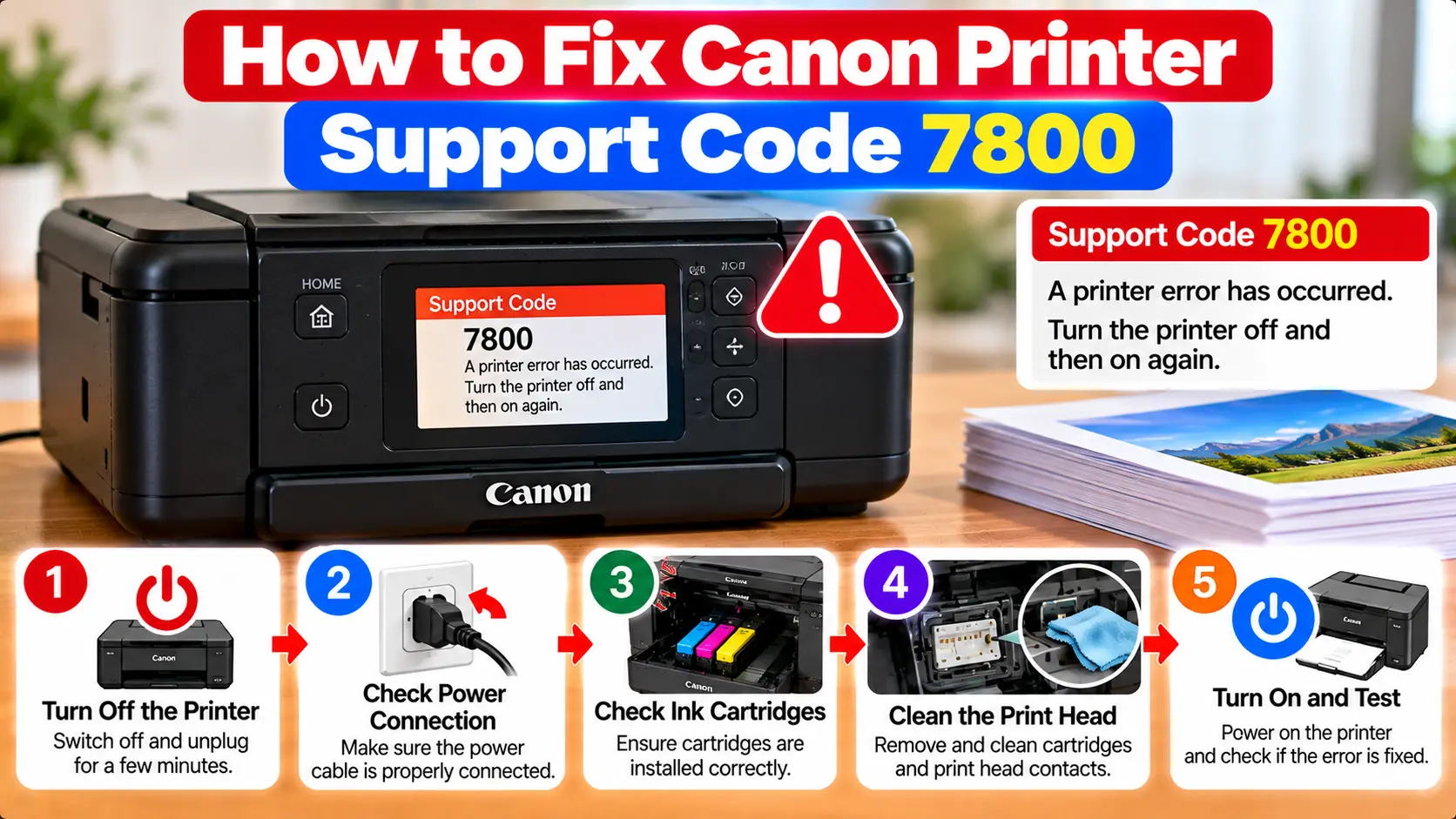
What Does Canon Support Code 7800 Mean?
On Canon printer models whose documentation lists support code 7800, the code indicates an error that requires repair. Turn the printer off and unplug it. If the same 7800 code is displayed, use the service or repair options appropriate for your exact Canon printer model and region.
What Is Canon Printer Support Code 7800?
Canon printers can display support codes when an error occurs. The support code helps identify the type of condition that needs attention.
Support code 7800 is different from routine errors such as an empty paper tray, simple paper jam, or WiFi connection problem. On Canon models that document this code, it is categorized as an error requiring repair.
This is important because repeatedly changing software settings or performing unrelated maintenance is unlikely to address the condition represented by this particular code.
Step 1: Verify That the Code Is Actually 7800
Before taking further action, confirm the exact support code shown on the printer display or computer.
Similar-looking error numbers can have different meanings and different troubleshooting procedures.
- Read the complete error message.
- Confirm that the displayed number is 7800.
- Note the exact Canon printer model.
- Record when the error appeared.
- Note whether the printer was starting, printing, or performing another operation.
If a different code is displayed, troubleshoot that specific code rather than following the 7800 guidance.
Step 2: Turn Off and Unplug the Printer
Once you have confirmed support code 7800, turn the printer off and disconnect its power plug.
Do not repeatedly restart the printer in an attempt to force the error away.
Step 3: Check the Service Options for Your Exact Model
Because support code 7800 is documented as a repair-related condition on affected Canon models, the next appropriate step is to identify the service or repair options available for your exact printer.
Before requesting service, have the following information ready:
- Exact printer model.
- Support code 7800.
- Complete message displayed with the code.
- Approximate time the problem began.
- Whether the error returns whenever the printer starts.
- Purchase or warranty information if available.
Service availability and warranty coverage can vary by printer model and region.
What Not to Do With Canon Error 7800
Avoid unrelated or risky troubleshooting methods simply because they are described online as universal Canon printer fixes.
- Do not open the printer's power supply.
- Do not dismantle internal electrical components.
- Do not use random service-mode button combinations.
- Do not repeatedly factory-reset the printer.
- Do not reinstall drivers expecting them to repair an internal hardware condition.
- Do not clean unrelated printer components solely because code 7800 is displayed.
- Do not replace parts based only on an unverified online diagnosis.
Support code 7800 alone does not provide enough information to safely identify a particular internal component as the cause.
Will Reinstalling the Canon Printer Driver Fix Error 7800?
Reinstalling a printer driver is useful for certain computer communication, installation, or software problems. It is not the documented remedy for support code 7800.
If your printer displays 7800 independently of the computer, focus on the support code rather than repeatedly removing and reinstalling printer software.
Is Canon Error 7800 a WiFi Problem?
A normal WiFi configuration problem should be diagnosed separately. If the printer itself is displaying support code 7800, changing the router password, reconnecting WiFi, or restarting the computer is not the documented action for this code.
For an actual wireless connection issue without code 7800, see: Canon Printer Won't Connect to WiFi .
Preparing a Canon Printer for Service
If the printer needs to be transported for inspection or repair, follow the transportation guidance intended for your exact model.
Some Canon inkjet models require particular care during transportation because incorrect handling can cause ink leakage.
Keep the printer in its normal orientation and avoid unnecessary tilting. Model-specific transportation instructions should take priority over generic packing advice.
Canon Support Code 7800 Troubleshooting Table
| Situation | Recommended Action |
|---|---|
| Code 7800 appears | Confirm the exact code and printer model. |
| 7800 confirmed | Turn off the printer and unplug it. |
| Error returns | Use the repair or service options appropriate for the exact printer model. |
| Different error code appears | Troubleshoot the newly displayed support code instead. |
| Smoke, smell, heat, or visible damage | Disconnect power if safe and stop using the printer. |
| Printer needs transportation | Follow the handling instructions for the exact printer model and avoid unnecessary tilting. |
Related Canon Printer Error Guides
Frequently Asked Questions
What does Canon printer support code 7800 mean?
On Canon printer models that document support code 7800, it indicates an error requiring repair.
How do I fix Canon printer error 7800?
Confirm that the displayed code is 7800, turn the printer off, unplug it, and use the repair or service guidance appropriate for your exact printer model.
Can restarting the printer clear support code 7800?
Do not rely on repeated restarts as a repair. The documented action for affected models is to turn off and unplug the printer and arrange appropriate service.
Will reinstalling the printer driver fix code 7800?
Driver reinstallation is not the documented remedy for support code 7800. Driver problems and repair-related printer errors should be diagnosed separately.
Should I factory reset a Canon printer showing 7800?
A factory reset is not the documented solution for this support code. Avoid random reset or service-mode procedures that are not intended for the exact model and error.
Should I open the printer to repair error 7800?
Internal repair can involve electrical and mechanical hazards. Do not dismantle the printer solely on the basis of support code 7800. Qualified service is the safer approach for a repair-related condition.
Final Support Code 7800 Checklist
- Confirm the code is exactly 7800.
- Record the exact printer model.
- Note the complete displayed message.
- Turn the printer off.
- Disconnect the printer from power.
- Avoid random service-mode procedures.
- Do not open internal electrical components.
- Check service options for the exact model.
- Follow model-specific transportation guidance if repair is required.