How to Fix Canon MX922 Support Code 6000
Support code 6000 on a Canon PIXMA MX922 indicates that the printer has encountered an error. Canon's documented first response is to turn the printer off, disconnect its power cord, reconnect the printer, and turn it back on. If the error remains, the printer may require service.
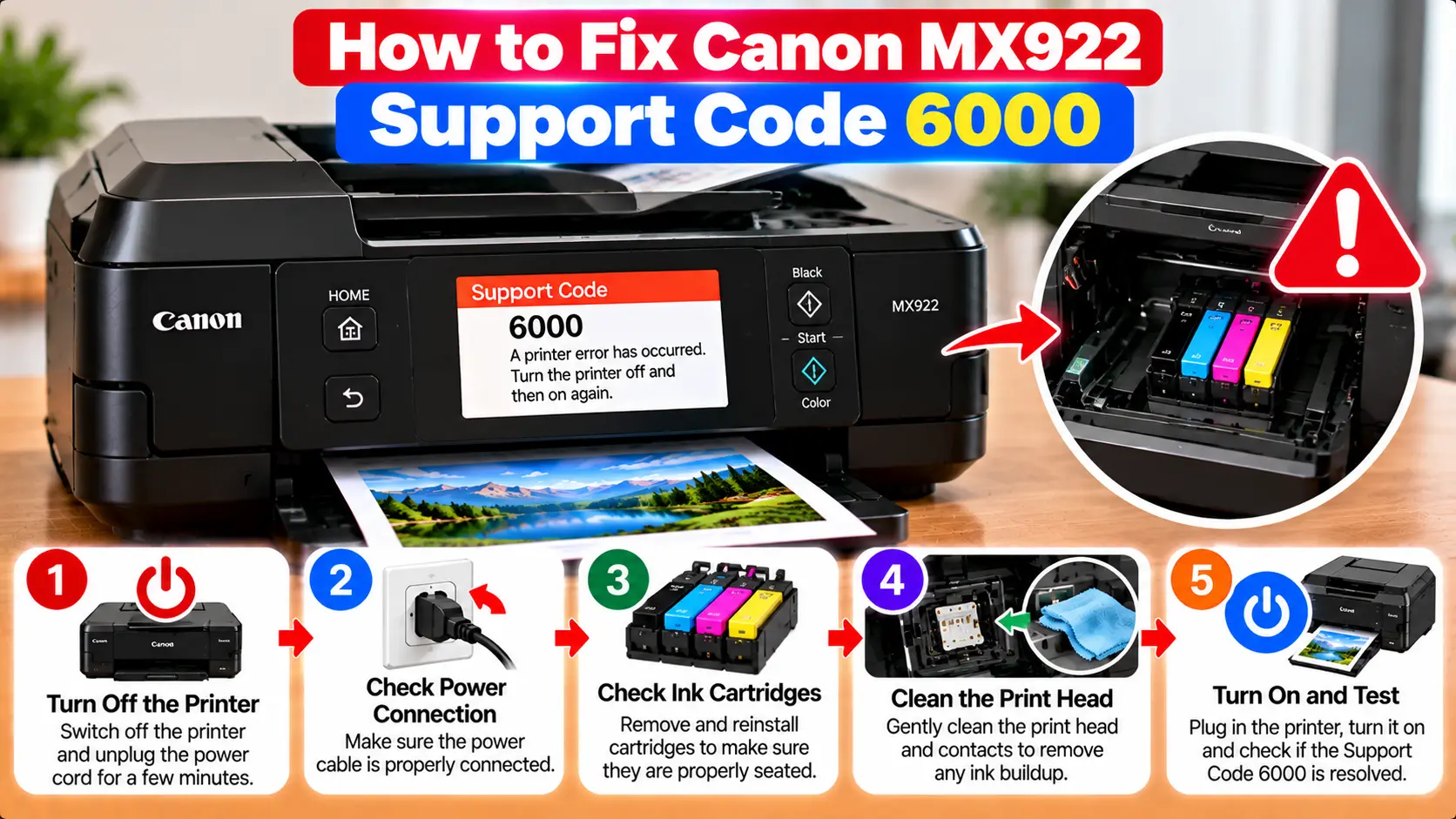
What Should I Do for Canon MX922 Error 6000?
Turn off the Canon PIXMA MX922 and unplug its power cord from the power source. Reconnect the printer and turn it back on. If support code 6000 appears again after the restart, avoid repeatedly forcing resets or attempting internal repairs. The printer may need professional service.
What Does Canon MX922 Support Code 6000 Mean?
The PIXMA MX922 is part of Canon's MX920 series. Canon lists support code 6000 among the error codes that can appear on the printer's LCD and computer screen.
For code 6000, Canon describes the cause as a printer error. The official troubleshooting instruction does not identify one universal user-repairable component as the cause.
How to Troubleshoot Canon MX922 Support Code 6000
Step 1: Stop the Current Print Operation
If the printer is attempting to print when the error appears, stop sending additional print jobs. Note the support code shown on the printer before continuing.
Step 2: Turn Off the Printer
Use the printer's power button to turn the PIXMA MX922 off when it is safe to do so.
Step 3: Disconnect the Power Cord
Disconnect the printer's power cord from the power source.
Step 4: Reconnect the Printer
Reconnect the power cord securely to the printer's power source.
Step 5: Turn the Printer Back On
Power the MX922 back on and allow it to complete its normal startup process.
Step 6: Check Whether Code 6000 Returns
Watch the LCD during startup. If the printer becomes ready without displaying support code 6000, try a simple print operation.
If the same support code returns, do not repeatedly power-cycle the printer expecting a different result.
Basic External Checks Before Requesting Service
You can perform a few non-invasive checks without disassembling the printer.
- Check the LCD for any additional message or different support code.
- Make sure the printer is sitting on a stable, level surface.
- Look for clearly visible loose paper or foreign material around user-accessible paper paths.
- Check whether covers and user-accessible trays are positioned normally.
- If another specific support code appears, troubleshoot that code rather than continuing to treat the problem as code 6000.
Do not force internal mechanisms, reach into areas that are not intended for normal user access, or dismantle the printer while looking for the cause.
Is Canon MX922 Error 6000 Always a Paper Jam?
No. Canon's MX920-series documentation describes support code 6000 as a printer error and provides a power-cycle procedure followed by service if the problem remains.
The MX920-series documentation also lists separate support codes for paper-jam conditions. Therefore, it is better to use the exact code and message shown on the printer rather than treating every 6000 error as a confirmed paper jam.
If your printer actually displays a paper-jam message or a paper-jam support code, use the appropriate paper-jam procedure instead.
What If Canon MX922 Error 6000 Keeps Returning?
If support code 6000 remains after the documented power procedure, Canon's guidance is to seek service.
At this point, repeated software reinstallations, WiFi changes, driver updates, or print-queue clearing should not be presented as confirmed repairs for the hardware-level support code.
Record the printer model and the exact support code before arranging service. If another code appears during troubleshooting, record that code as well.
What Should You Avoid With Support Code 6000?
- Do not repeatedly force the printer through power cycles.
- Do not use random service-mode button combinations found online.
- Do not dismantle the printer without the appropriate technical knowledge.
- Do not force rollers, gears, or other internal moving parts.
- Do not assume reinstalling a printer driver will repair every support-code error.
- Do not perform a factory reset merely because support code 6000 appears.
When Should You Stop Troubleshooting?
Stop using the printer immediately if you notice smoke, unusual heat, a burning smell, sparking, liquid damage, or visible electrical damage. Disconnect power only when it is safe to do so and have the printer inspected appropriately.
For an MX922 that repeatedly returns support code 6000 after the documented restart procedure, professional diagnosis is preferable to unsupported internal repair attempts.
Canon MX922 Error 6000 Troubleshooting Table
| Situation | Recommended Check |
|---|---|
| Support code 6000 appears | Turn the printer off, disconnect power, reconnect it, and turn it back on. |
| Error disappears after restart | Allow startup to complete and test the printer with a simple print job. |
| Error 6000 returns | Stop repeated reset attempts and consider printer service. |
| Different support code appears | Follow the troubleshooting procedure for the newly displayed code. |
| Paper-jam message appears | Use the appropriate paper-jam instructions for the displayed condition. |
| Smoke, heat, burning smell, or electrical damage | Stop using the printer and seek appropriate service. |
Related Canon Error Guides
Frequently Asked Questions
What does support code 6000 mean on Canon MX922?
Canon's MX920-series documentation identifies code 6000 as a printer error. The documented response is to turn the printer off, disconnect power, reconnect it, and turn the printer back on.
Is Canon MX922 code 6000 definitely a paper jam?
No. Canon does not define MX920-series support code 6000 simply as a paper jam. Follow the exact code and message shown on the printer.
Should I reset my Canon MX922 for error 6000?
Canon's documented procedure calls for turning the printer off, disconnecting and reconnecting power, and turning it back on. A factory reset or undocumented service-mode reset should not automatically be the first step.
Will reinstalling the driver fix code 6000?
A driver reinstall is not Canon's documented response to MX920-series support code 6000. Start with the printer-side procedure for the displayed support code.
What if error 6000 comes back after restarting?
If the error remains after the documented power procedure, Canon's guidance indicates that the printer should be serviced.
Can unplugging the MX922 affect stored faxes?
Yes. Canon warns that disconnecting the power plug can delete fax documents stored in the machine's memory, so fax users should consider this before disconnecting power.
Final Canon MX922 Error 6000 Checklist
- Confirm that support code 6000 is actually displayed.
- Stop sending additional print jobs.
- Turn the printer off.
- Consider stored fax data before disconnecting power.
- Disconnect and reconnect the printer's power.
- Turn the MX922 back on.
- Check whether support code 6000 returns.
- If the error remains, avoid unsupported internal repair attempts and consider service.