How to Troubleshoot Canon PIXMA MX922 B200 Error
Support code B200 on a Canon PIXMA MX922 indicates a printer condition that Canon's MX920-series documentation directs users to resolve through service. Rather than repeatedly resetting, disassembling, or cleaning internal components, follow the documented shutdown procedure and determine the appropriate service or replacement option.
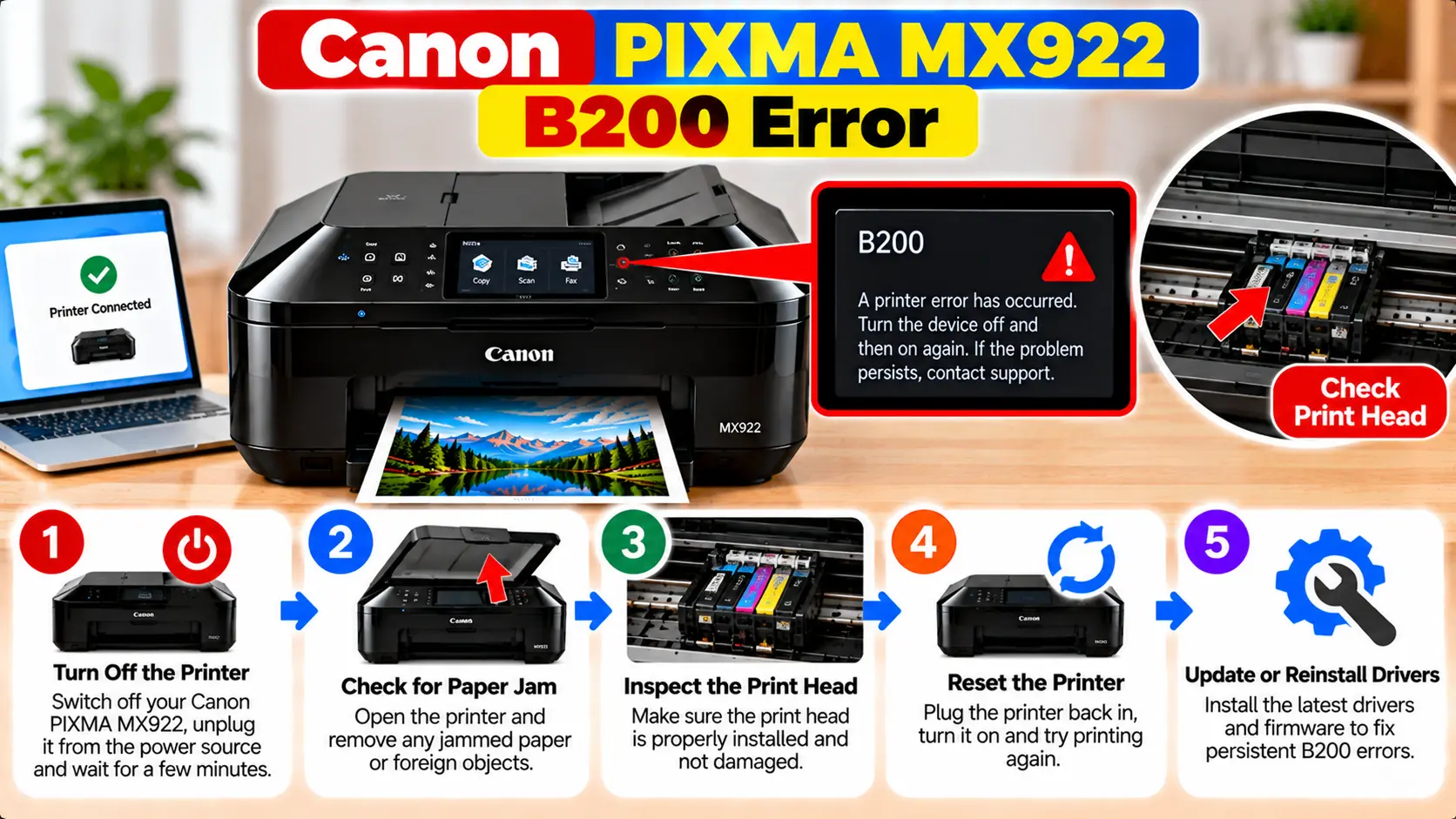
What Does B200 Mean on a Canon PIXMA MX922?
Canon's MX920-series documentation describes B200 as an error that requires contacting a service center. The documented action is to turn off the printer, disconnect its power cord from the power source, and seek service. Because the MX922 has fax functionality, remember that disconnecting power can delete fax documents stored in the printer's memory.
What Is Canon PIXMA MX922 Support Code B200?
B200 is listed among the support codes for the Canon MX920 series. When this code appears, Canon's documented guidance treats it as a condition that requires service rather than as a routine paper, network, or software problem.
This distinction is important. B200 should not automatically be treated as:
- A WiFi connection problem
- A printer driver problem
- A normal print queue problem
- A basic paper jam
- A Windows printer-offline problem
If the printer's display specifically shows B200, troubleshoot that support code rather than repeatedly changing network or computer settings.
Important: Check Stored Fax Documents Before Unplugging
The PIXMA MX922 includes fax functionality, and Canon's MX920-series B200 instructions include an important warning about disconnecting the printer from power.
Disconnecting the power plug can delete fax documents stored in the printer's memory.
What to Do When Canon MX922 Shows B200
Keep the troubleshooting process conservative. B200 is not a code where extensive DIY internal repair should be the first approach.
Step 1: Confirm the Support Code
Read the printer display carefully and confirm that the code is actually B200.
Similar-looking codes can have different troubleshooting procedures.
Step 2: Stop Sending Print Jobs
If the printer is displaying B200, stop repeatedly sending print or scan commands from the computer. Computer-side jobs will not resolve a printer-side service condition.
Step 3: Turn Off the MX922
Use the printer's power control to turn the machine off when it is responsive.
Step 4: Disconnect the Power Cord
Canon's documented B200 action instructs the user to disconnect the printer's power cord from the power source.
Remember the stored-fax warning before doing this.
Step 5: Arrange Appropriate Service
Canon's MX920-series guidance directs the user to contact a service center after shutting down and disconnecting the printer.
Service or replacement options can depend on the printer's age, condition, location, and any applicable support coverage.
B200 Fixes You Should Be Careful With
You may find many unofficial B200 procedures online. Some involve internal printer components and go well beyond Canon's documented B200 instructions for the MX920 series.
Avoid treating the following as routine, manufacturer-documented B200 fixes:
- Forcing the print-head carriage by hand
- Disassembling the printer
- Washing electronic printer components
- Scraping or modifying electrical contacts
- Opening the power supply
- Entering undocumented service-mode sequences
- Repeatedly switching the printer on and off in unusual patterns
- Installing a different driver in an attempt to clear B200
- Factory-resetting network settings to address B200
Will Reinstalling the MX922 Driver Fix B200?
B200 should not be approached primarily as a Windows or macOS driver problem.
Reinstalling printer software may help when a computer cannot detect or communicate with a functioning printer, but Canon's B200 instructions for the MX920 series direct users toward service.
Therefore, repeatedly removing and reinstalling drivers is not the appropriate response when the printer itself is displaying B200.
Will Reconnecting the MX922 to WiFi Clear B200?
B200 is not documented as a wireless network configuration error.
Changing the SSID, WiFi password, router settings, or printer network configuration should not be treated as the solution to a B200 support code.
If the printer later becomes operational but then has a separate network problem, troubleshoot that network issue independently.
When Does the Canon MX922 Need Service?
Canon's documented B200 action for the MX920 series already directs the user toward service. Canon support representatives have also described B200 on the PIXMA MX922 as an indication that the printer requires service.
When considering the next step, evaluate:
- Whether any support coverage still applies
- Availability of service for the printer
- Estimated repair cost
- Age and overall condition of the printer
- Whether replacement is more practical than repair
Do not rely on an unknown third-party phone number presented as official Canon support. Use Canon's current official support resources if you need manufacturer assistance.
Canon MX922 B200 vs Other Printer Errors
Different support codes can require completely different actions. Always troubleshoot the code actually shown on the printer.
| Condition | What It Means for Troubleshooting |
|---|---|
| B200 | Canon's MX920-series guidance directs the user to turn off and unplug the printer and contact a service center. |
| Support Code 6000 | This is a separate support code and should be handled using its own documented procedure. |
| Printer Offline | Usually requires checking printer communication, network or USB connection, queue, and computer settings rather than treating it as B200. |
| WiFi Connection Failure | Check network configuration and connectivity separately when B200 is not present. |
Related Canon MX922 Guides
Frequently Asked Questions
What does B200 mean on a Canon PIXMA MX922?
Canon's MX920-series documentation describes B200 as an error that requires contacting a service center.
What does Canon recommend for MX922 B200?
Canon instructs users to turn off the machine, disconnect its power cord from the power source, and contact a service center.
Will unplugging the MX922 delete stored faxes?
Canon warns that disconnecting the power plug deletes fax documents stored in the machine's memory. Keep this in mind before unplugging an MX922 that may contain stored fax documents.
Is B200 a WiFi error?
B200 is not documented as a WiFi setup error. Changing router settings or reconnecting the printer to WiFi should not be treated as the B200 solution.
Can reinstalling the printer driver clear B200?
Canon's B200 instructions for the MX920 series do not direct users to reinstall the printer driver. The documented action directs the user toward service.
Should I remove and wash the MX922 print head?
Canon's documented B200 instructions do not provide print-head washing as the corrective procedure. Avoid treating invasive internal repair instructions from unrelated sources as official B200 troubleshooting.
Final MX922 B200 Checklist
- Confirm the displayed support code is B200.
- Stop repeatedly sending print jobs.
- Consider whether important fax documents may be stored in printer memory.
- Turn off the printer.
- Follow the documented power-disconnection guidance.
- Avoid invasive or undocumented repair tricks.
- Determine the appropriate service or replacement option.